2026-03-08

PC関連・トラブル系

Why Is My PC Internet So Slow? Causes and Fixes (Windows 10 / 11 Speed Guide)

A slow internet connection on your PC can be extremely frustrating. Whether you are trying to work, stream videos, download files, or browse websites, slow network speeds can significantly reduce productivity and negatively affect your online experience. Many users notice that their computer’s internet speed is slower than other devices on the same network, such as smartphones or tablets. In many cases, the problem is not with the internet provider but with settings, drivers, hardware limitations, or background applications on the computer. In this guide, we explain why your PC internet connection may be slow and how to fix it step by step. The solutions below apply to both Windows 10 and Windows 11 computers and are easy to follow even for beginners.
PC関連・トラブル系

PC Wi-Fi Network Not Showing Up? Causes and Fixes (Windows 10 / 11 Guide)

Wi-Fi connectivity issues are among the most common problems PC users experience. One particularly frustrating situation occurs when Wi-Fi networks do not appear on your computer at all, even though other devices such as smartphones or tablets can connect without any problems. If your PC cannot detect available wireless networks, the issue may be related to network settings, wireless drivers, system configuration, or your router. In this guide, we explain why Wi-Fi networks are not showing up on a PC and how to fix the issue step by step. The solutions below work for both Windows 10 and Windows 11 computers and are easy to follow even for beginners.
PC関連・トラブル系

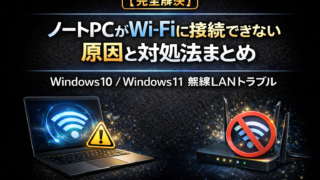
【完全解決】ノートPCがWi-Fiに接続できない原因と対処法まとめ|Windows10 / Windows11 無線LANトラブル

「ノートPCだけWi-Fiに繋がらない」「Wi-Fiは表示されるのに接続できない」などのトラブルは、多くのユーザーが経験するネットワーク問題の一つです。 スマートフォンや他の機器では問題なくWi-Fiが使えるのに、ノートパソコンだけ接続できない場合、設定やドライバー、ルーターなど様々な原因が考えられます。 本記事では、ノートPCがWi-Fiに接続できない時の症状・対象・原因・対処法を分かりやすく解説します。初心者でもすぐに試せる解決方法をまとめているので、ぜひ参考にしてください。
PC関連・トラブル系

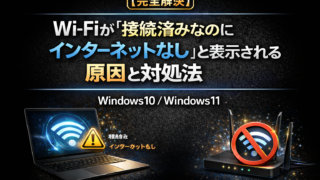
【完全解決】Wi-Fiが「接続済みなのにインターネットなし」と表示される原因と対処法|Windows10 / Windows11

パソコンやスマートフォンをWi-Fiに接続したとき、 「接続済み、インターネットなし」 「インターネットアクセスなし」 と表示されて、ネットが使えないトラブルが発生することがあります。 Wi-Fi自体には接続できているのに、インターネットだけ使えない状態になると非常に困りますよね。 この問題は ルーターの不具合 IPアドレスのエラー Windowsのネットワーク設定 DNSの問題 など様々な原因で発生します。 この記事ではWi-Fiが接続済みなのにインターネットなしと表示される原因と対処法を初心者でも分かるように解説します。 順番に確認すれば、多くの場合すぐに解決できます。
PC関連・トラブル系

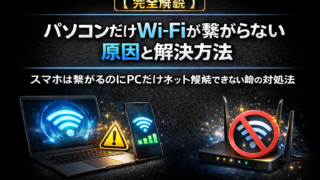
【完全解説】パソコンだけWi-Fiが繋がらない原因と解決方法|スマホは繋がるのにPCだけネット接続できない時の対処法

自宅のWi-Fiを使っていると、 「スマホは普通にネットが使えるのに、パソコンだけWi-Fiが繋がらない」 というトラブルが発生することがあります。 この問題はWi-FiルーターではなくPC側の設定やドライバが原因になっているケースが多いです。 特にWindowsパソコンでは ネットワーク設定 Wi-Fiドライバ IPアドレス 保存されたネットワーク情報 などの問題によってPCだけWi-Fiが使えなくなることがあります。 この記事ではパソコンだけWi-Fiが繋がらない原因と解決方法を初心者でも分かるように詳しく解説します。 順番に試すことで、ほとんどのWi-Fiトラブルは解決できます。
PC関連・トラブル系

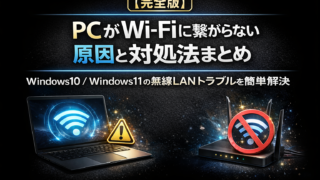
【完全版】PCがWi-Fiに繋がらない原因と対処法まとめ|Windows10 / Windows11の無線LANトラブルを簡単解決

パソコンを使っていると、突然Wi-Fiに繋がらなくなるトラブルが発生することがあります。 「昨日まで普通にネットが使えていたのに急に繋がらない…」というケースは非常に多いです。 特にWindows10 / Windows11のパソコンでは、設定やドライバ、ルーターの状態など様々な原因でWi-Fiが接続できなくなることがあります。 この記事ではPCがWi-Fiに繋がらない原因と対処法を、初心者でも分かるように解説します。 順番に確認すれば、多くのケースで問題を解決できます。
タイトルとURLをコピーしました